
admin October 27, 2026
Video editing is always evolving and today’s editor needs more than just the basics of cutting and working on a timeline. Having an understanding of colour grading, visual workflows, compositing and audio as well as editing will go a long way to taking the quality of the project to the next level.
With that in mind The Animation Campus is running a one day DaVinci Resolve workshop in Calicut specifically for video editors and the freshers who would like to get into DaVinci Resolve and take their post production skills to the next level.
Why DaVinci Resolve?
DaVinci Resolve is of course famous for its colour grading, but it’s also got a very comprehensive set of professional editing, compositing and audio tools.
For editors who are already used to working with software like Adobe Premiere Pro, DaVinci Resolve can be a very useful tool to add to their workflow, especially when it comes to colour grading and the more sophisticated aspects of finishing a project.
This workshop is all about building that foundation rather than doing a full blown software course from the ground up.
Who is this workshop for?
The workshop is primarily designed for two groups:
Existing Video Editors
If you’re already editing with Premiere Pro or some other editing software then this workshop can help you to understand how DaVinci Resolve can fit into your existing workflow.
You can explore how to bring your editing experience into DaVinci Resolve and develop a better understanding of:
Color grading
Node-based color workflows
Professional color control
Fusion basics
Audio processing
The aim is to equip editors with yet another useful tool to add to their existing repertoire.
Freshers & Aspiring Editors
For the freshers starting out in video editing the workshop gives an introduction to DaVinci Resolve and the basics of professional post production.
It’s a great opportunity to get a feel for how editing, colour, compositing and audio all come together in a contemporary video production workflow.
What Will You Learn?
The workshop covers four key areas of DaVinci Resolve.
1. Editing / Cut
Understand the basics of timeline editing, efficient cutting and some useful shortcuts.
2. Color
Explore DaVinci Resolve’s powerful node-based color workflow, including:
Serial nodes
Parallel nodes
Layer nodes
Outside nodes
For current editors this section is going to be of particular value in terms of developing a real understanding of professional colour grading workflows.
3. Fusion
Get to grips with node based compositing via Fusion and learn the fundamentals of combining and manipulating imagery.
4. Audio
Learn essential audio techniques such as:
Noise reduction
Dialogue isolation
Audio compression
These tools can help to improve the clarity and overall quality of your video projects.
A Practical One-Day Learning Experience
This is by no means a full software course. The workshop is a focused one day session designed to introduce people to the key capabilities of DaVinci Resolve.
For an experienced editor it can be an opportunity to see how DaVinci Resolve can extend their current workflow.
For the fresher it can provide a basis for understanding professional post production and will in turn encourage further practice and learning.
Workshop Details
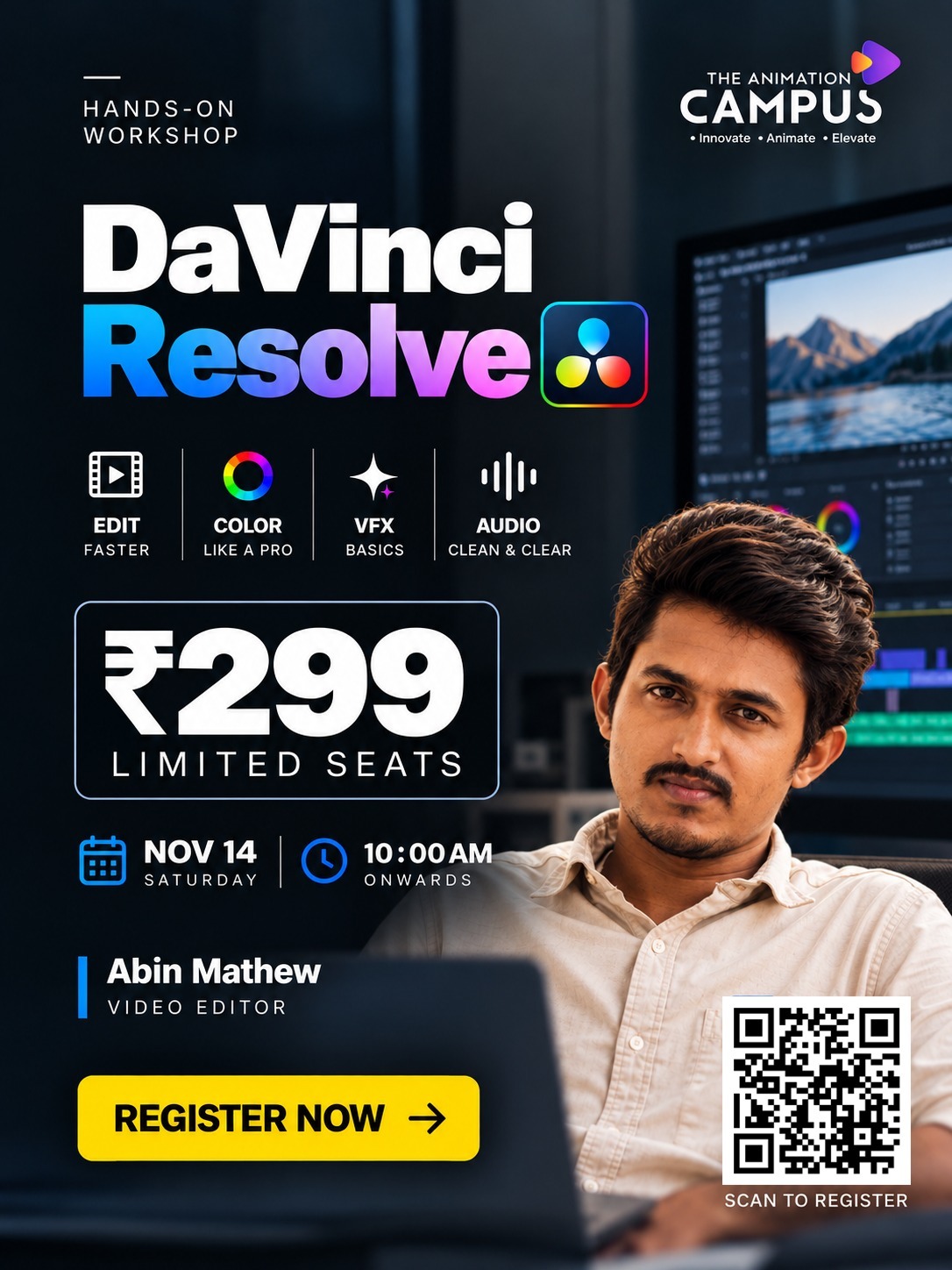
Workshop: DaVinci Resolve Hands-On Workshop
Location: Calicut, Kerala
Date: November 14, 2026
Day: Saturday
Time: 10:00 AM onwards
Fee: ₹299
Seats: Limited
Trainer: Abin Mathew – Video Editor
Organizer: The Animation Campus
Take Your Editing Skills Further
Whether you’re already in the business of editing with Premiere Pro or you’re a complete novice looking to get into the world of video editing, learning DaVinci Resolve can be a real asset to your creative toolkit.
From editing and colour grading through to Fusion and audio, this one day workshop is all about giving you a practical grounding and a better understanding of the post production workflow in DaVinci Resolve.
Learn the basics. Explore a new workflow. Take your editing to the next level.
Join the DaVinci Resolve one day workshop in Calicut and see what you can do with the right tools and the right techniques.